Brew Terminal

Markets, minus the gatekeeping.

A research terminal for crypto and stocks that runs on your computer. No account. No server. No telemetry.

Free and open source. macOS, Windows and Linux.

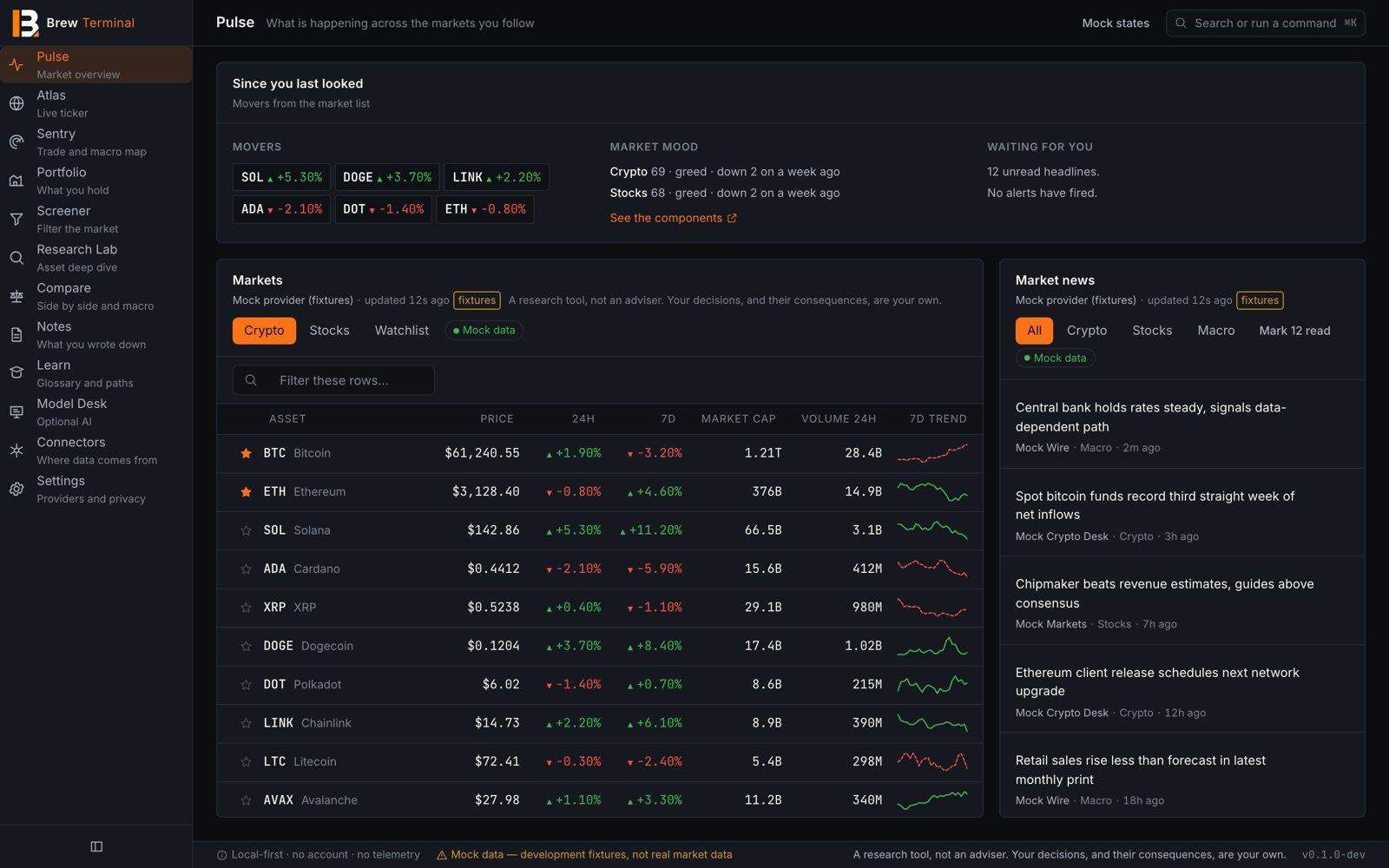
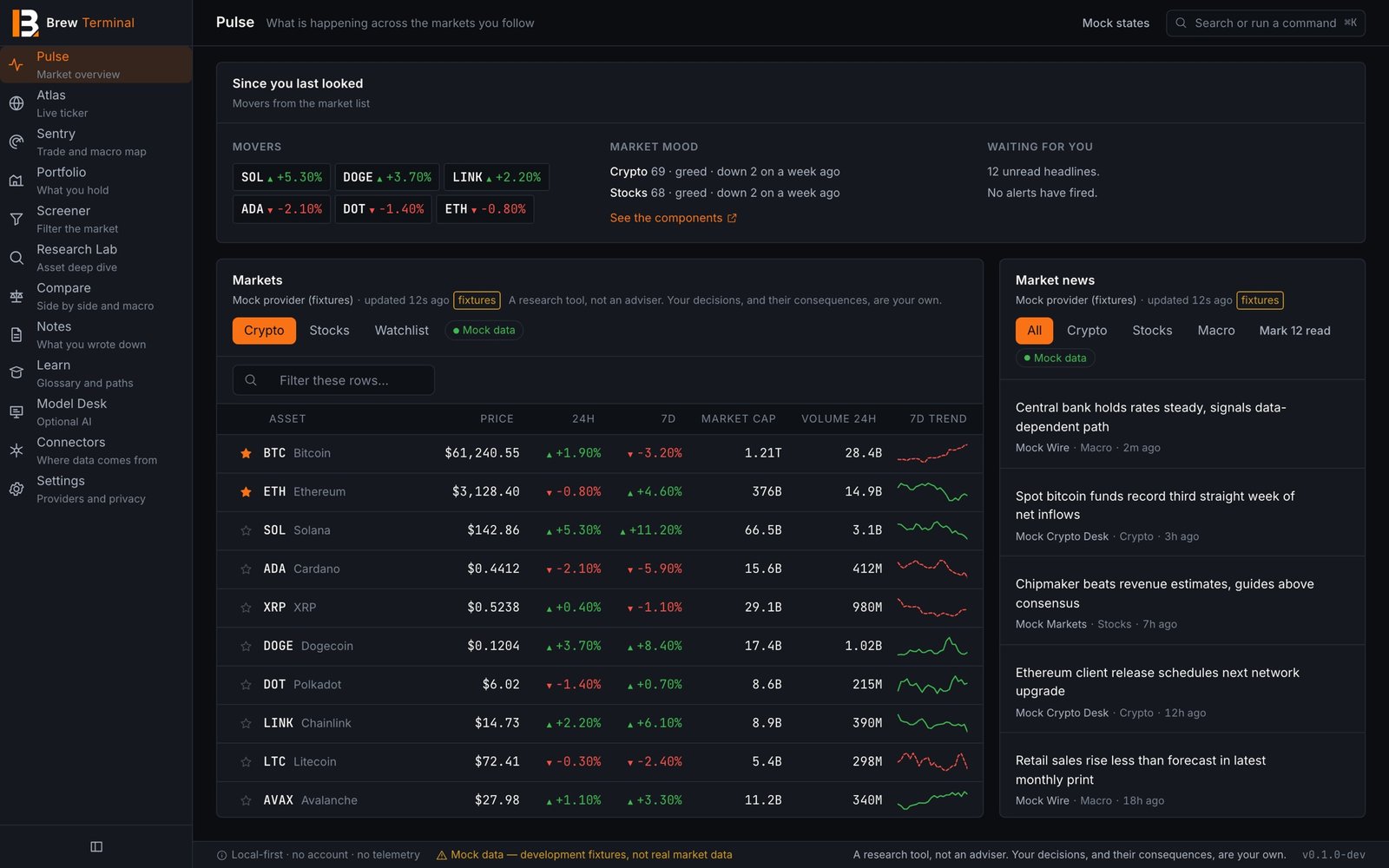
Brew Terminal's Pulse screen: market movers, a table of crypto prices with sparklines and a news column, each panel labelled with its data source and age.

The one idea

Most apps show you a number. This one shows who produced it. And how long ago.

Every time, on every screen. When a provider fails, you get older data with the reason attached. Example value for illustration, not a real price.
What you get

Yours. On your machine.

No account.No server.No cloud.

Local-first

Watchlists, notes and preferences live in one SQLite file on your computer. There is nothing to sign up for.

0

Telemetry

The app makes no request you did not cause. One exception, stated plainly: price alerts poll in the background, and they are off until you enable them.

11

Data providers

Each one's terms were read before any code was written against it. No scraping. No undocumented endpoints.

50

Terms, explained

A glossary and five learning paths for someone who has never read a balance sheet. All of it works offline.

12

Screens

From a market overview to one asset in depth, a world map, a screener and your own research journal.

Keyboard first

A command palette, and every screen one keystroke away.

Optional AI.Off by default.

Your model, your key

Bring a local model or your own endpoint, or use none. You see an itemised list of what would be sent before it goes. Keys stay in your OS keychain.

Twelve screens

First glance to deep dive.

Pulse screen
Pulse. What moved, what you follow, and what changed since you last looked.
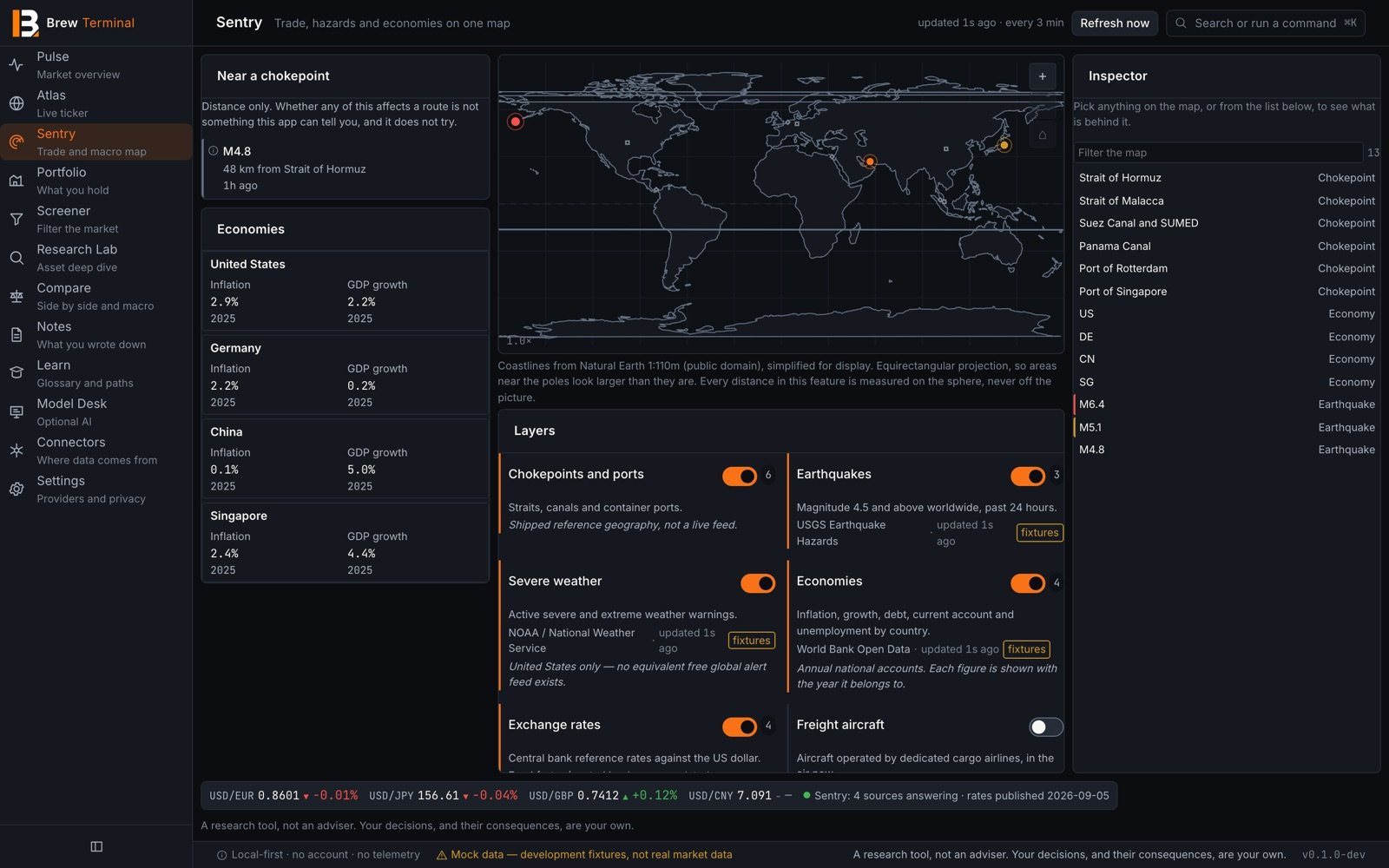
Sentry screen
Sentry. Trade chokepoints, hazards and economies on one world map.
Atlas screen
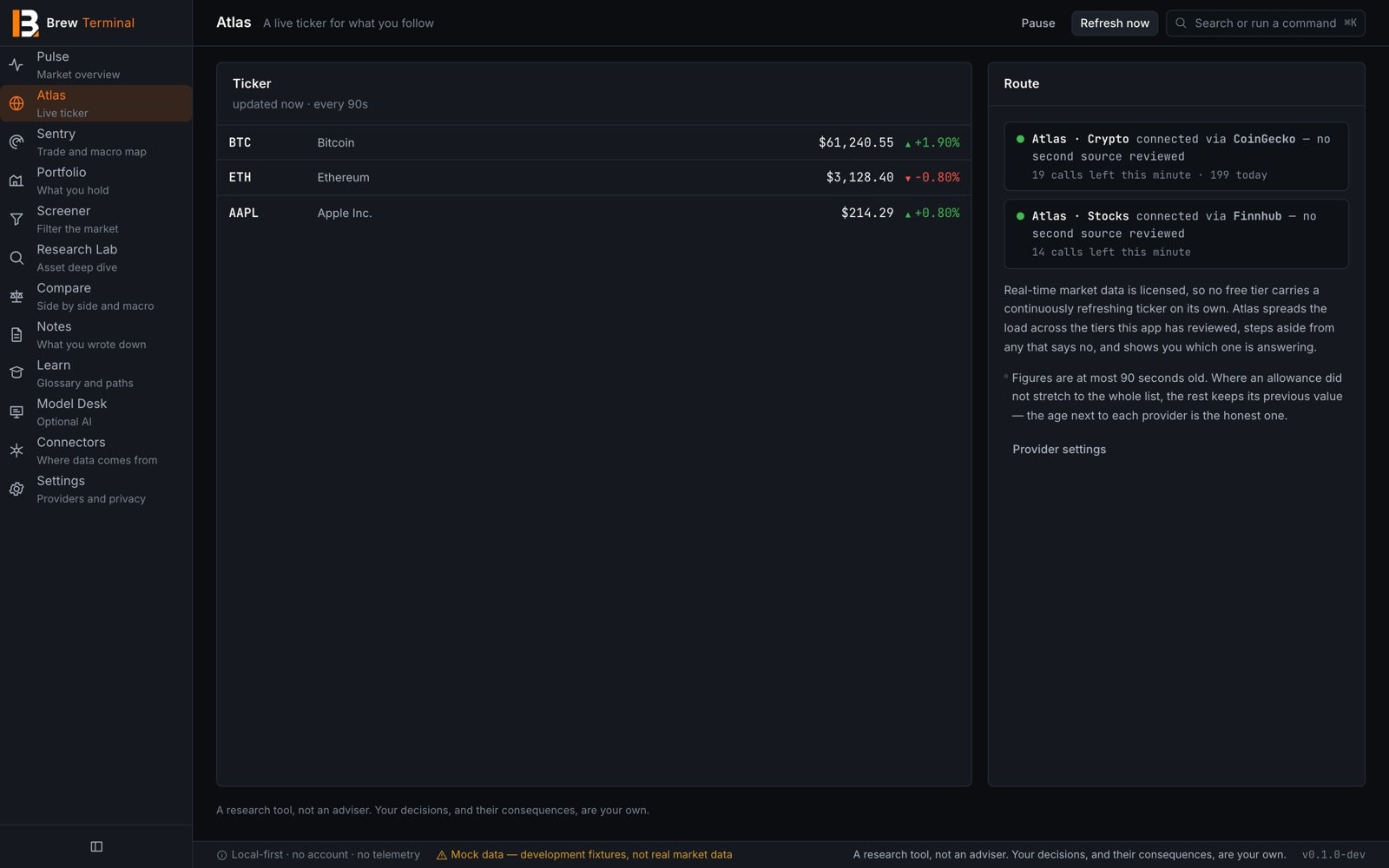
Atlas. A ticker that says “at most 90 seconds old”, not “live”.
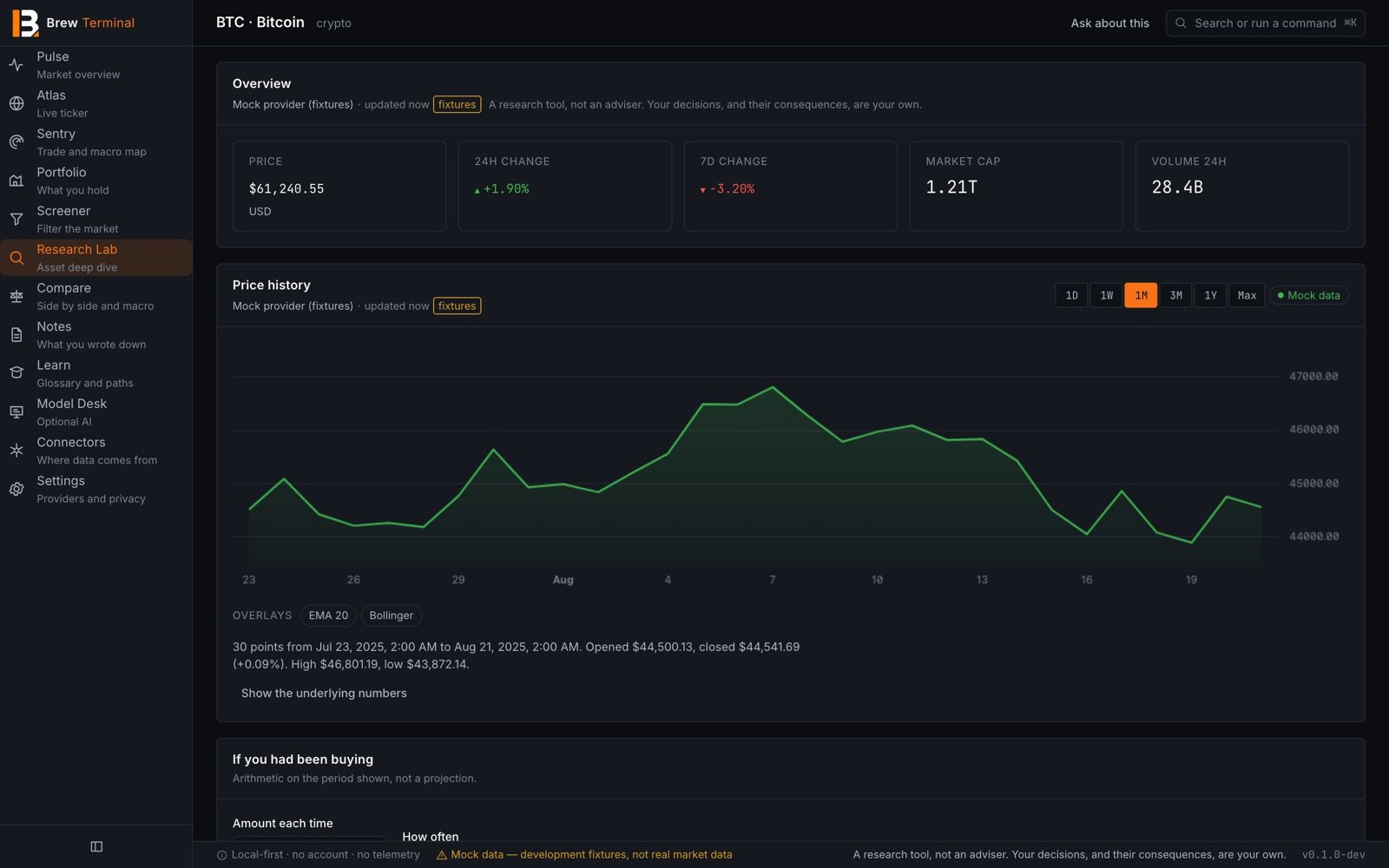
Research Lab screen
Research Lab. One asset in depth: chart, indicators, news and your notes.
Screener screen
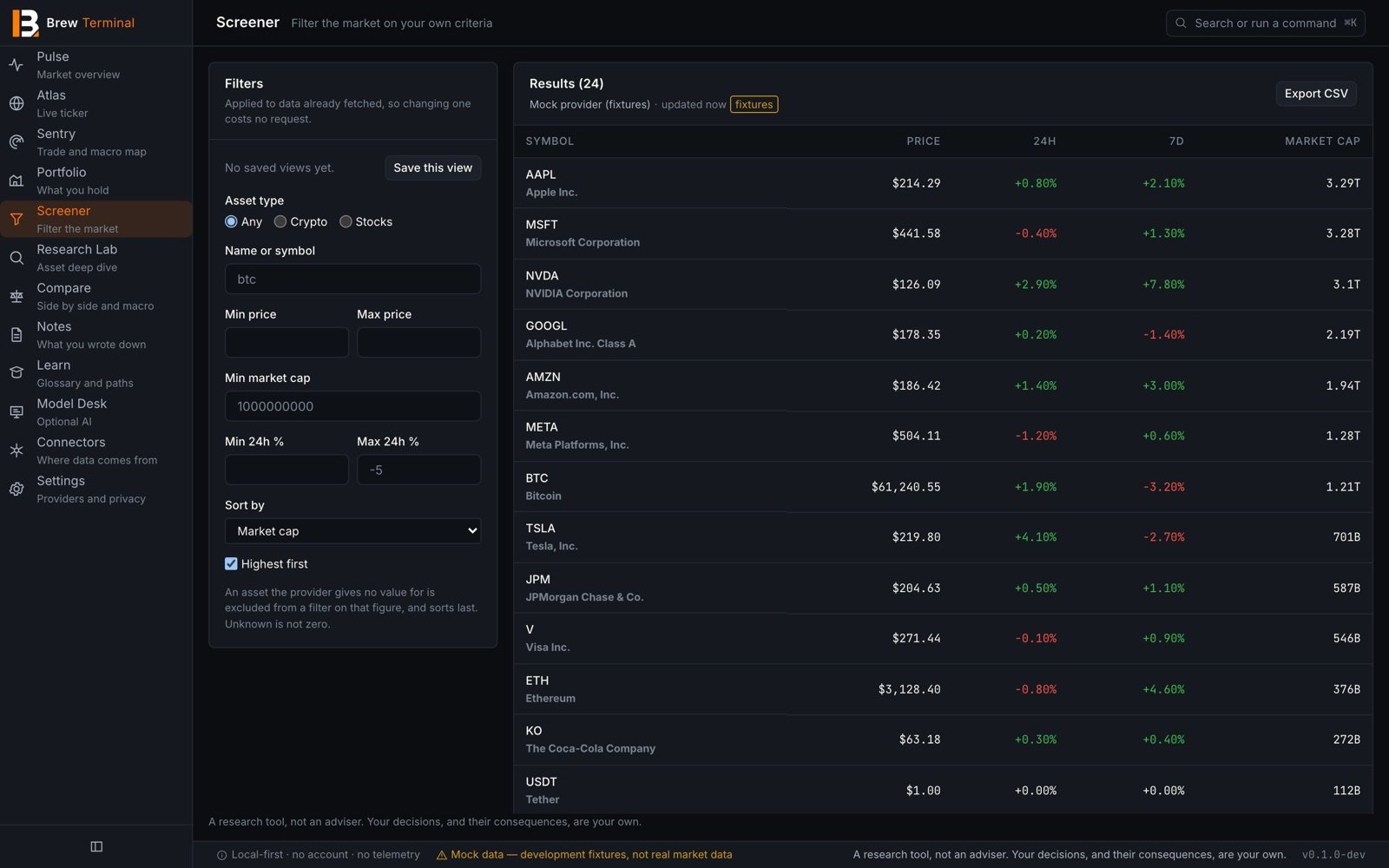
Screener. Filters on reported facts. No score, no ranking, no “opportunities”.
Compare screen
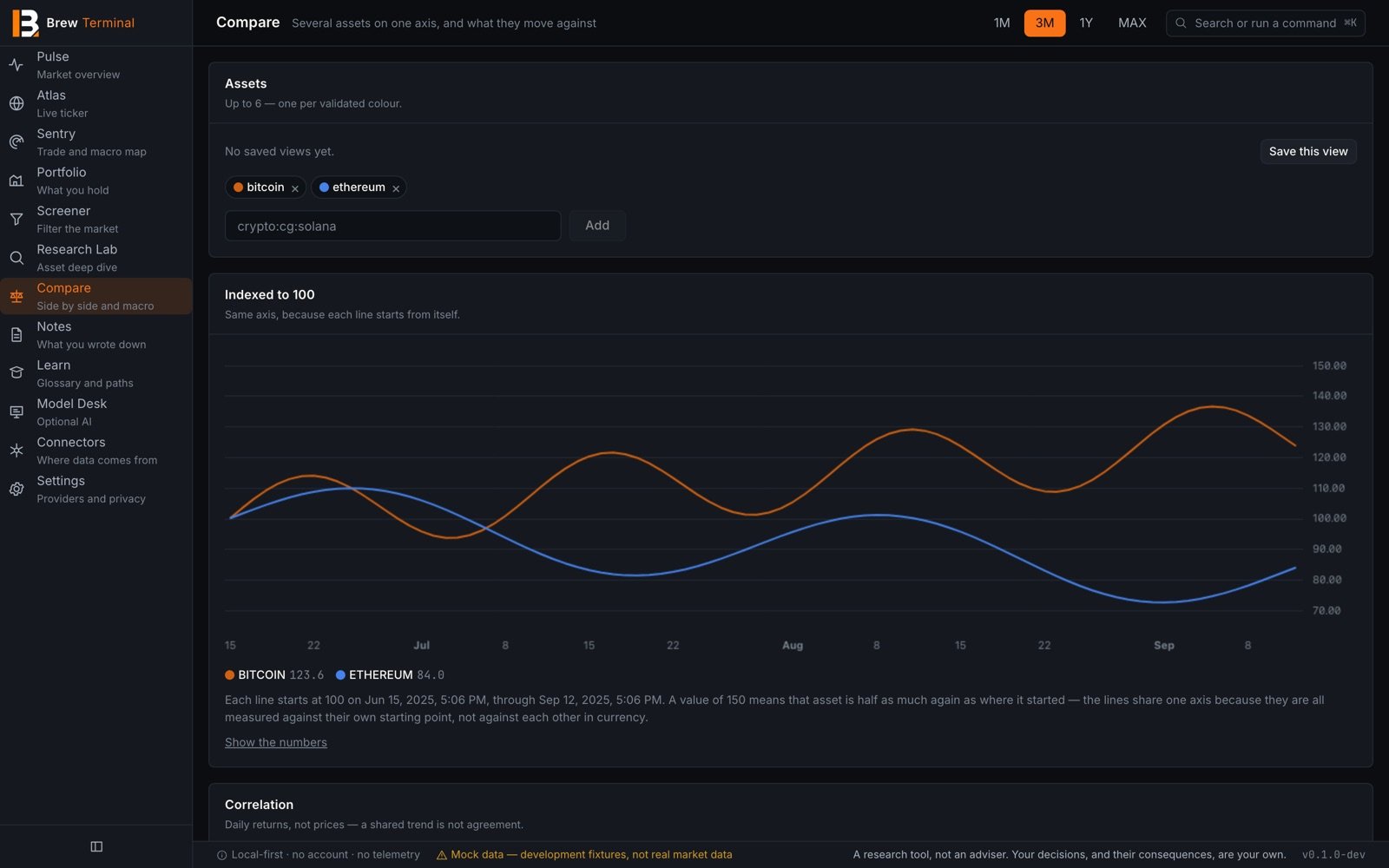
Compare. Up to six assets and macro series on one axis.
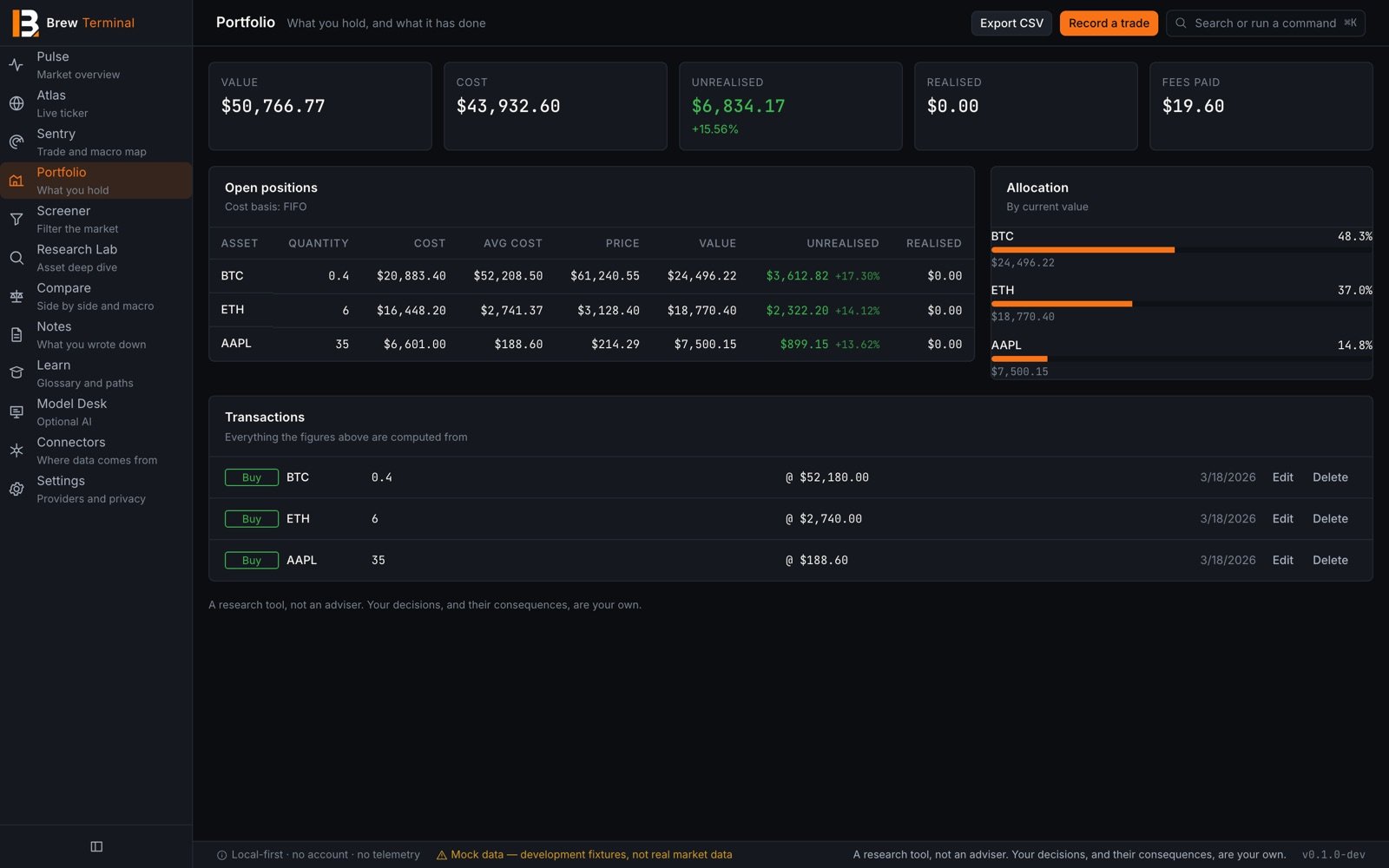
Portfolio screen
Portfolio. Positions replayed from trades you typed in. No broker connection.
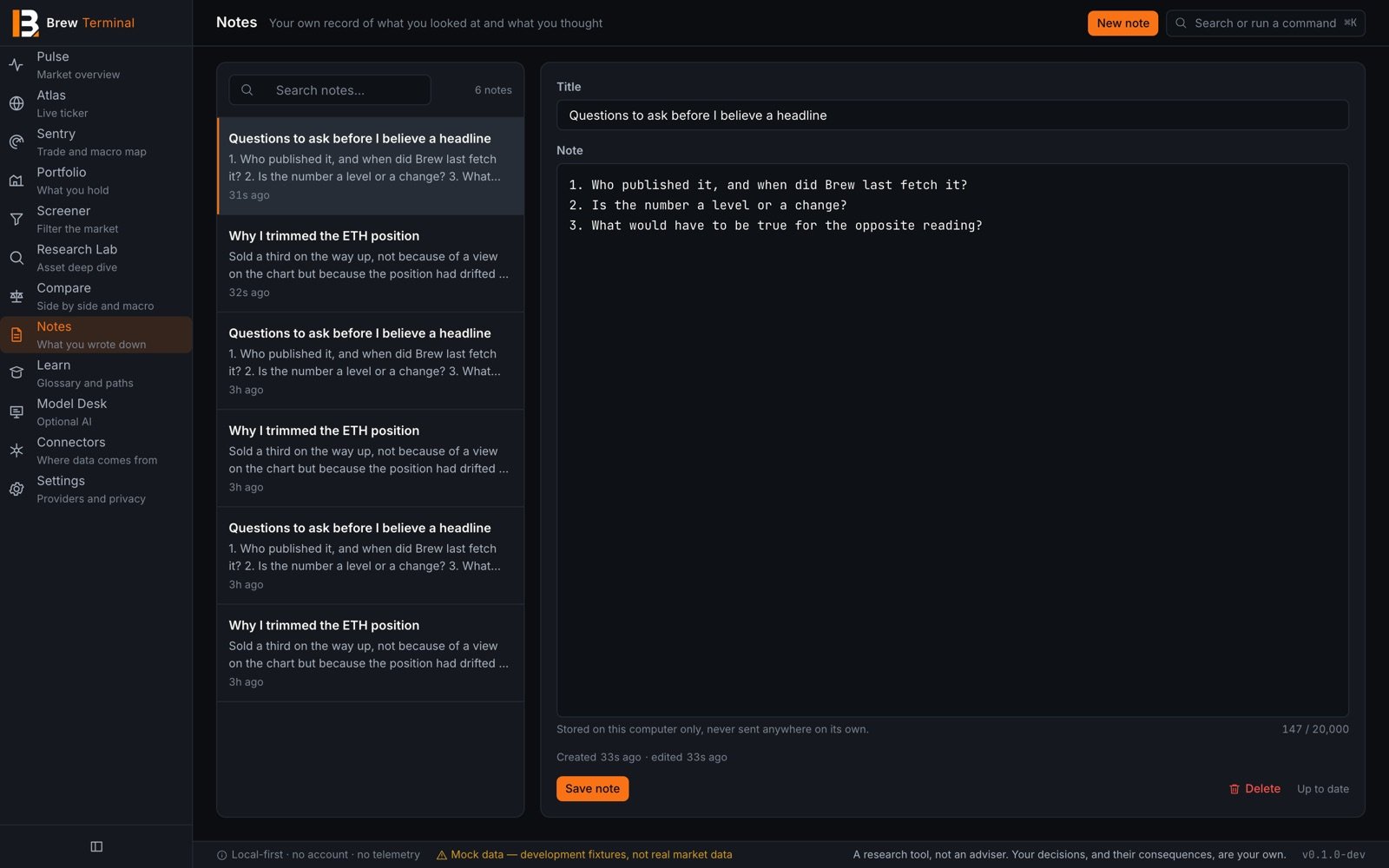
Notes screen
Notes. A local research journal, pinned to dates on the chart.
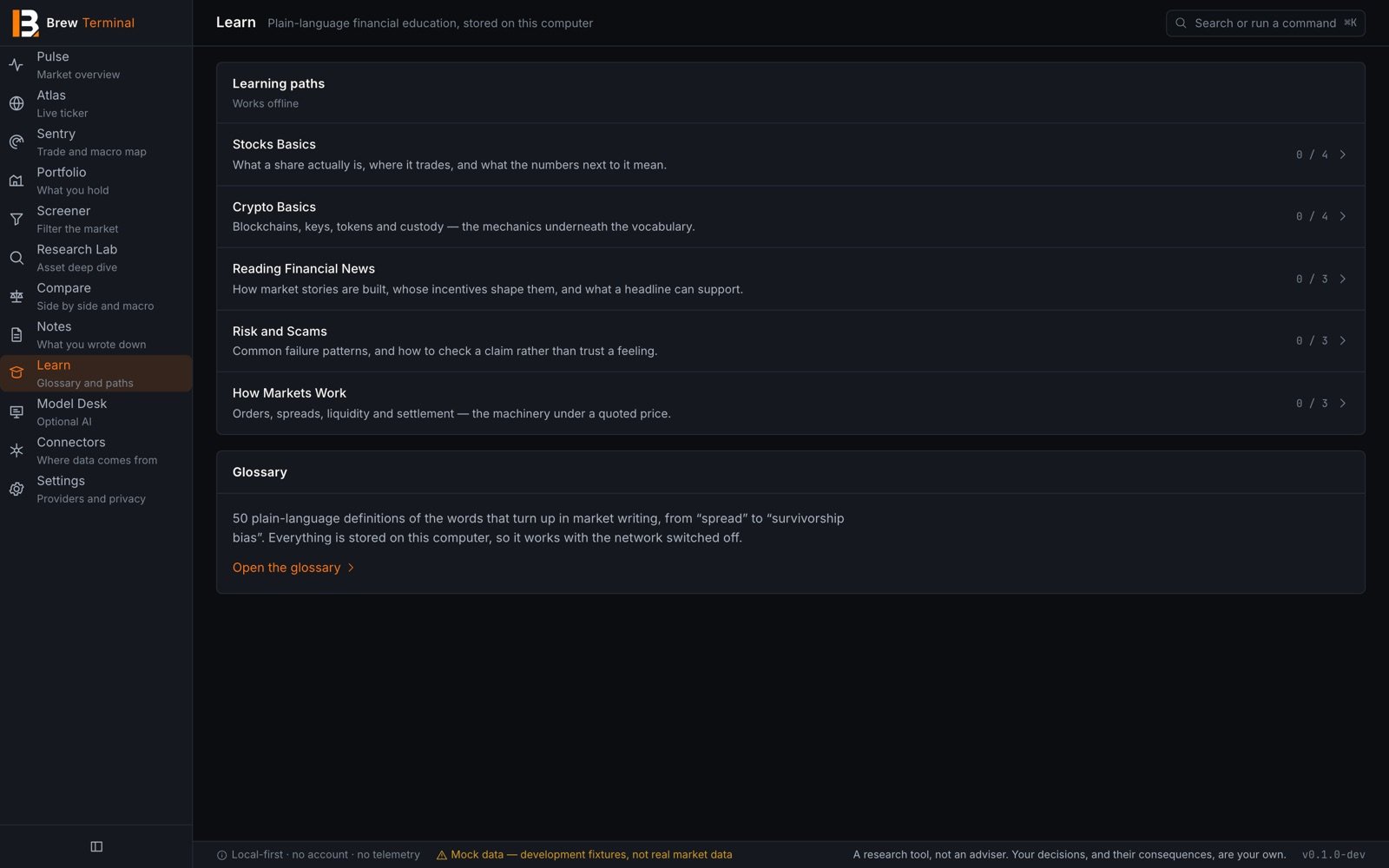
Learn screen
Learn. Glossary and learning paths that ship with the app.
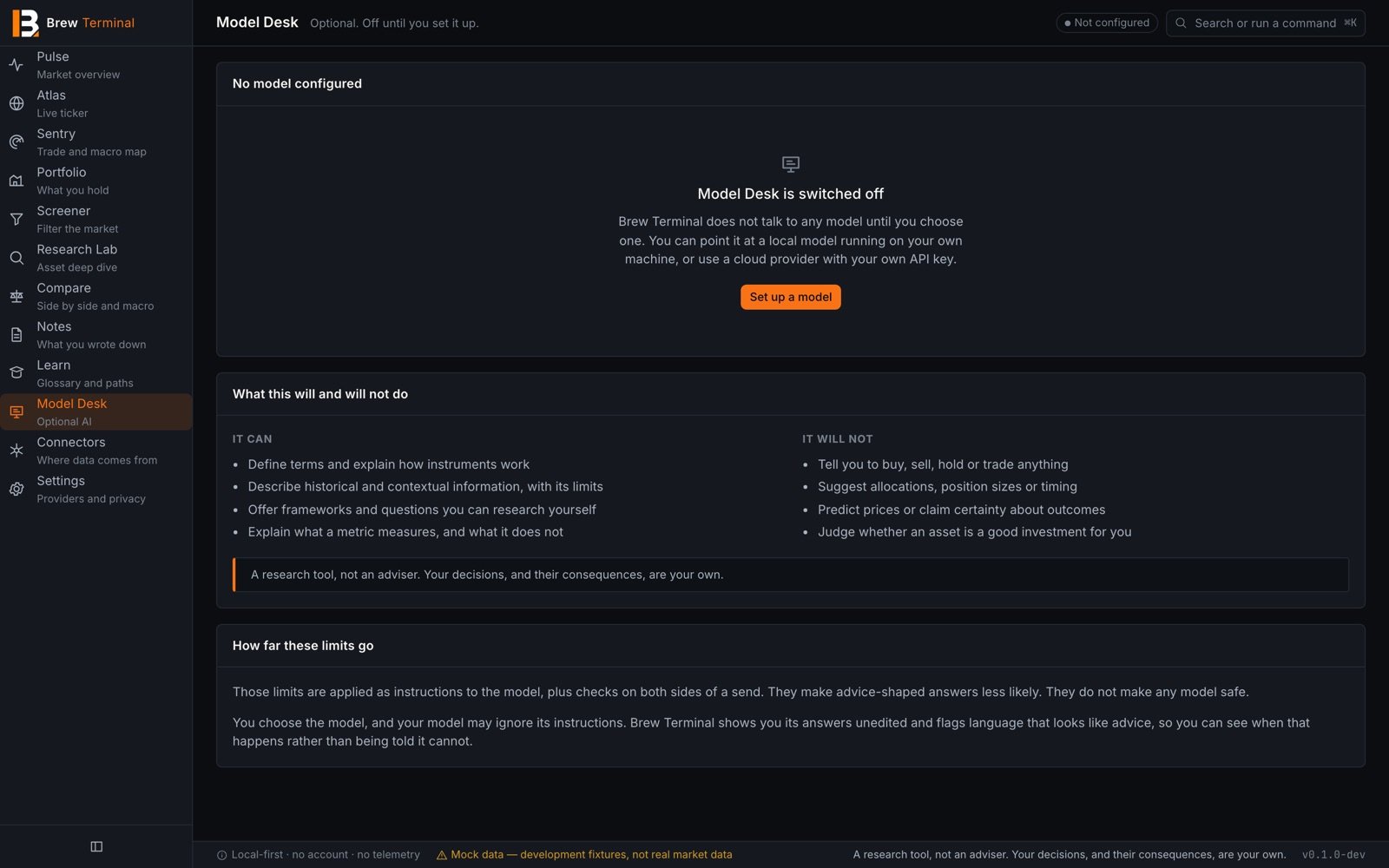
Model Desk screen
Model Desk. Optional AI, with the outgoing payload shown before you send it.
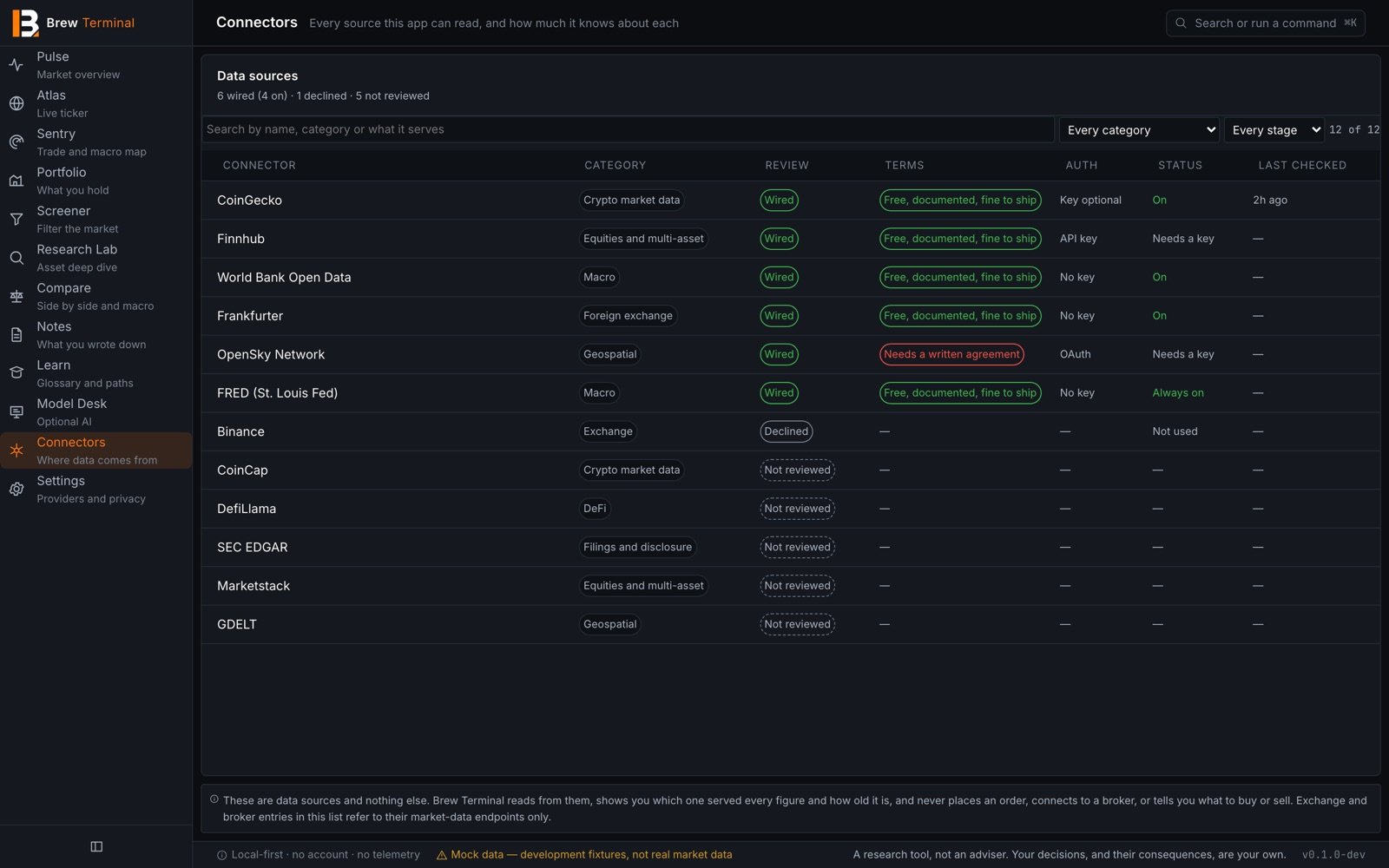
Connectors screen
Connectors. Every data source: wired, declined, or not yet reviewed.
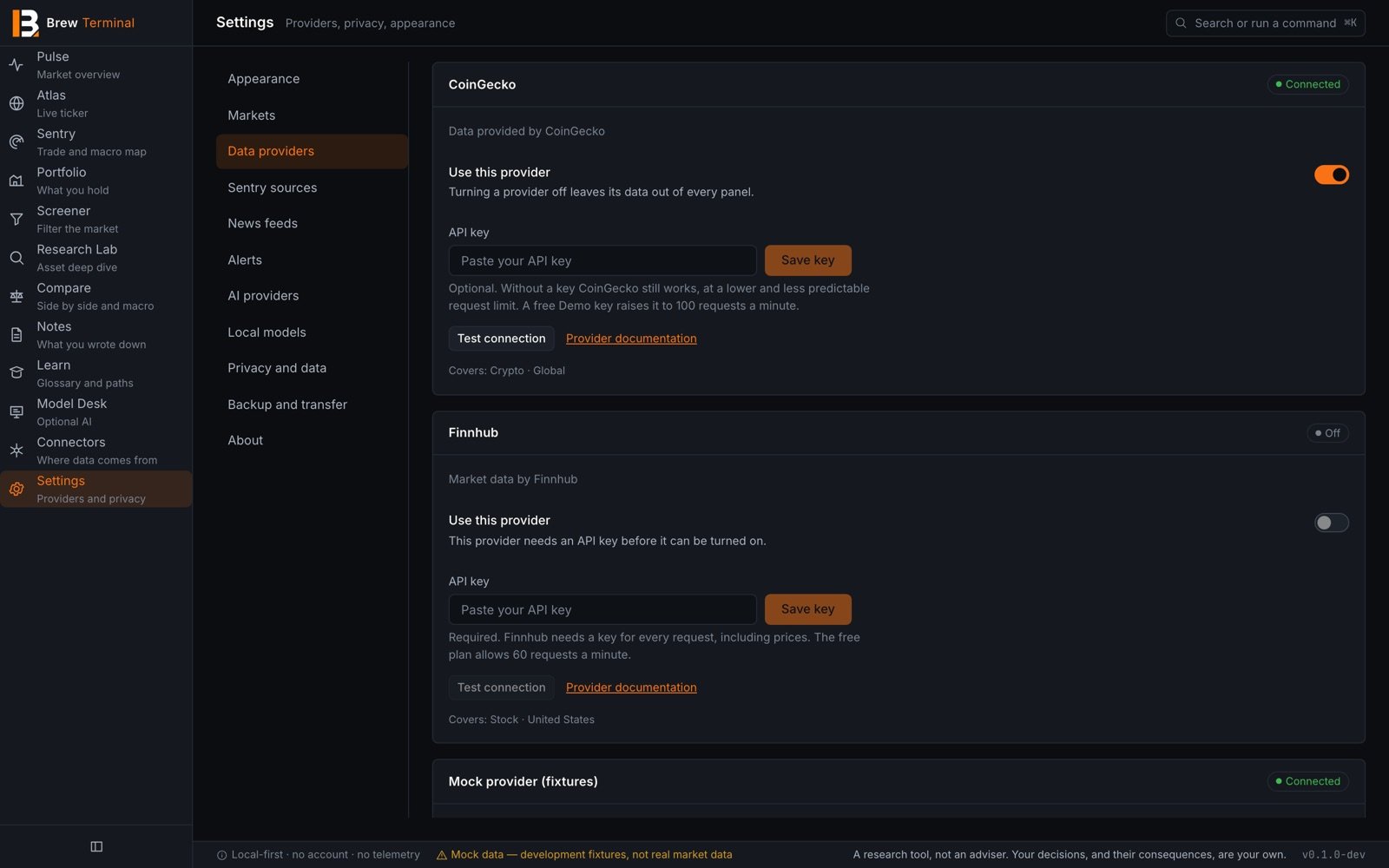
Settings screen
Settings. Providers, keys and privacy controls in one place.

Screenshots are from a development build running fixtures, which is why panels carry a “Mock data” badge. Mock data is never allowed to look like the real thing.

Download

Free. Open source.

The app is not code-signed yet, so the first launch needs one extra step.

macOS

.dmg · universal

First launch: right-click the app and choose Open, then Open again.

Download for Mac

Windows

.msi · .exe

SmartScreen will warn you. Click More info, then Run anyway.

Download for Windows

Linux

.AppImage · .deb

Run chmod +x on the AppImage before starting it.

Download for Linux

Rather look first? Try the demo   Build from source